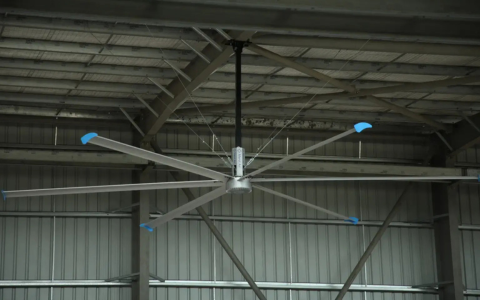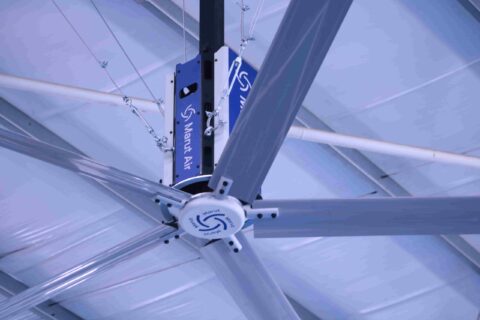

High Volume, Low Speed (HVLS) fans are designed to move large amounts of air efficiently and quietly. When installed and maintained correctly, they operate with minimal noise and virtually no vibration. However, if an HVLS fan starts producing unusual sounds or noticeable vibration, it’s a sign that something isn’t right and ignoring it can lead to reduced performance, premature wear, or even safety risks.
This guide explains the common causes of vibration and noise in HVLS fans, how to diagnose them, and the best practices to fix and prevent these issues.
Understanding Normal vs. Abnormal HVLS Fan Noise
Before troubleshooting, it’s important to know what’s normal.
Normal Sounds
- Soft airflow “whoosh”
- Low hum from the motor or gearbox
- Gentle startup and shutdown sounds
Abnormal Sounds
- Grinding or scraping
- Clicking or knocking
- Excessive humming or buzzing
- Rhythmic thumping
- Rattling or shaking of the fan or building structure
If the sound is new, increasing, or disruptive, it requires immediate attention.
Common Causes of Vibration and Noise in HVLS Fans
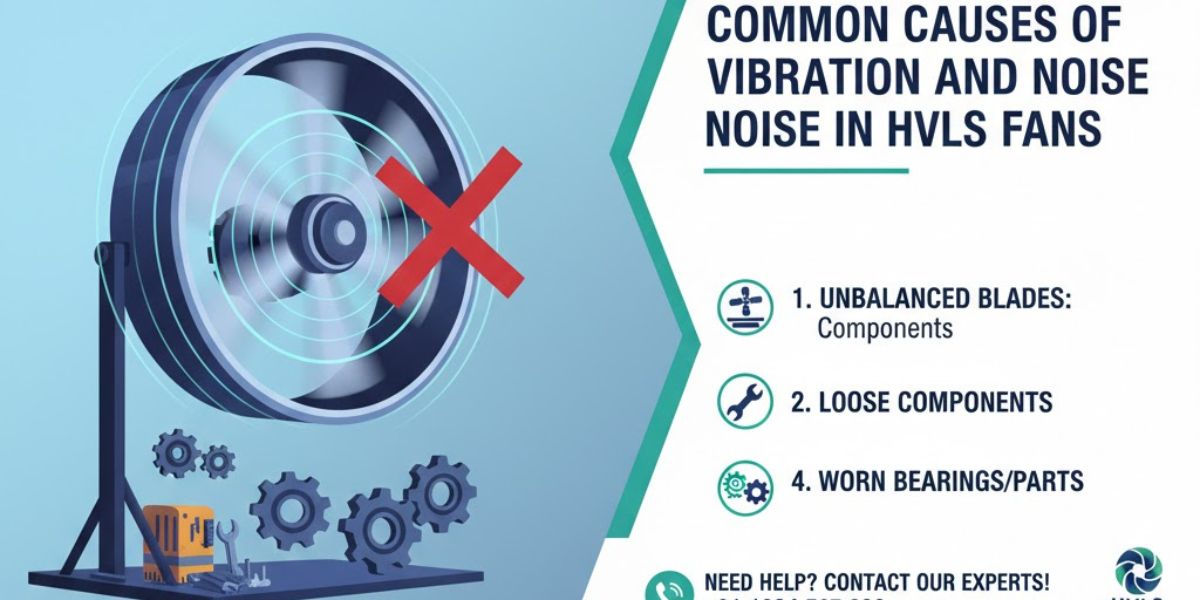
1. Improper Installation
One of the most common causes of vibration is incorrect installation.
Potential issues include:
- Fan not mounted to a structurally sound beam
- Loose mounting hardware
- Incorrect downrod length
- Misaligned mounting brackets
Even small installation errors can amplify vibration due to the fan’s large diameter.
Solution:
Verify that the fan was installed according to the manufacturer’s guidelines and that the mounting structure can support both the fan’s weight and dynamic load.
2. Loose or Worn Hardware
Over time, bolts, nuts, and fasteners can loosen due to continuous operation.
Signs:
- Rattling sounds
- Intermittent vibration
- Noise that worsens at certain speeds
Solution:
Perform a thorough inspection and tighten all hardware using torque specifications provided by the manufacturer. Replace any worn or damaged fasteners immediately.
3. Blade Imbalance
HVLS fans rely on perfectly balanced blades. Even a small imbalance can cause noticeable vibration.
Causes of imbalance:
- Manufacturing defects
- Improper blade installation
- Dirt, dust, or grease buildup
- Physical damage to a blade
Solution:
Clean the blades and inspect for damage. If imbalance persists, blade rebalancing or replacement may be required.
4. Blade Misalignment
If one or more blades are installed at an incorrect pitch or angle, airflow becomes uneven, leading to vibration and noise.
Solution:
Check blade pitch angles and ensure they match the manufacturer’s specifications. Reinstall or adjust blades as necessary.
5. Motor or Gearbox Issues
Mechanical problems in the motor or gearbox can produce grinding, whining, or humming noises.
Possible causes:
- Bearing wear
- Lack of lubrication
- Electrical issues
- Overheating
Solution:
Inspect motor and gearbox components regularly. Follow recommended lubrication schedules and replace worn bearings promptly. Electrical issues should be handled by qualified technicians.
6. Structural Resonance
Sometimes the fan itself isn’t the problem—the building is.
Large fans can create resonance in:
- Metal roofs
- Steel beams
- Light fixtures
- HVAC ductwork
Solution:
Reinforce the mounting structure, add vibration dampeners, or adjust fan speed to avoid resonance frequencies.
7. Environmental Factors
External conditions can also contribute to noise and vibration.
Examples:
- High humidity causing corrosion
- Dust buildup in industrial settings
- Temperature fluctuations affecting components
Solution:
Implement a regular cleaning and maintenance schedule suited to the operating environment.
Step-by-Step Troubleshooting Guide
- Shut down the fan and ensure power is disconnected.
- Visually inspect blades, mounts, and hardware.
- Check for loose components and tighten as needed.
- Clean blades thoroughly to remove buildup.
- Run the fan at low speed and gradually increase while listening.
- Document any persistent noise and contact the manufacturer or service provider if needed.
Preventive Maintenance Tips
Preventing vibration and noise is easier—and cheaper—than fixing it.
Best Practices:
- Schedule inspections every 6–12 months
- Clean blades regularly
- Keep maintenance logs
- Use manufacturer-approved replacement parts
- Train staff to report unusual sounds early
Proactive maintenance not only reduces noise issues but also extends the lifespan of your HVLS fan.
When to Call a Professional
You should contact a qualified technician if:
- Vibration persists after tightening and cleaning
- Noise worsens over time
- You notice electrical issues
- Structural components show stress or cracking
Delaying professional service can result in costly repairs or safety hazards.
FAQs: HVLS Fan Vibration and Noise Issues
1. Are HVLS fans supposed to be completely silent?
No. HVLS fans are designed to be quiet, but some low-level operational noise is normal. Loud, sharp, or increasing noise is not normal.
2. Can vibration damage the building structure?
Yes. Prolonged vibration can loosen fasteners, fatigue metal beams, and cause resonance issues in roofs or fixtures if left unaddressed.
3. How often should HVLS fans be inspected?
Most manufacturers recommend inspections every 6 to 12 months, or more frequently in dusty or industrial environments.
4. Can dirty blades really cause vibration?
Absolutely. Uneven dirt or grease buildup can throw off blade balance and create noticeable vibration, especially at higher speeds.
5. Should I lubricate the motor or gearbox myself?
Only if the manufacturer’s guidelines allow it. Over- or improper lubrication can cause more harm than good.
6. Why does my HVLS fan vibrate only at certain speeds?
This is often due to resonance or blade imbalance. Certain speeds may align with structural frequencies or airflow irregularities.
7. Can a loose downrod cause noise?
Yes. A loose or improperly sized downrod can amplify movement and noise throughout the fan assembly.
8. Is it safe to operate an HVLS fan that vibrates?
It’s not recommended. Continuous vibration can worsen mechanical issues and pose safety risks. The fan should be shut down and inspected.
9. Do all HVLS fans require professional installation?
While not always mandatory, professional installation is strongly recommended to ensure proper mounting, balance, and long-term performance.
10. How long do HVLS fans typically last with proper maintenance?
With correct installation and regular maintenance, HVLS fans can last 15–20 years or more.
Conclusion
Vibration and noise issues in HVLS fans are not just annoyances—they are early warning signs of mechanical, structural, or installation problems. By understanding the root causes, performing regular inspections, and acting quickly when issues arise, you can ensure smooth, quiet, and efficient operation for years to come.
A well-maintained HVLS fan doesn’t just move air—it protects your investment, enhances comfort, and keeps your facility running smoothly.